On this page
If you're wondering how to get views on YouTube, start with where views actually come from. YouTube doesn't hand out views for effort or upload count. It shows your video to people, watches how they react, and shows it to more people if they click and keep watching. Every fix in this guide improves one of those steps.
Short answer
how to get views on YouTube comes down to four steps:
- Make videos on topics people already want.
- Package them with a clear title and thumbnail that earns the click.
- Hook viewers in the first seconds.
- Keep them watching through to your next video.
Views come from search, the home page, suggested videos and the Shorts feed, and none of them need subscribers. They need a video that viewers choose and finish.
Where do YouTube views come from?
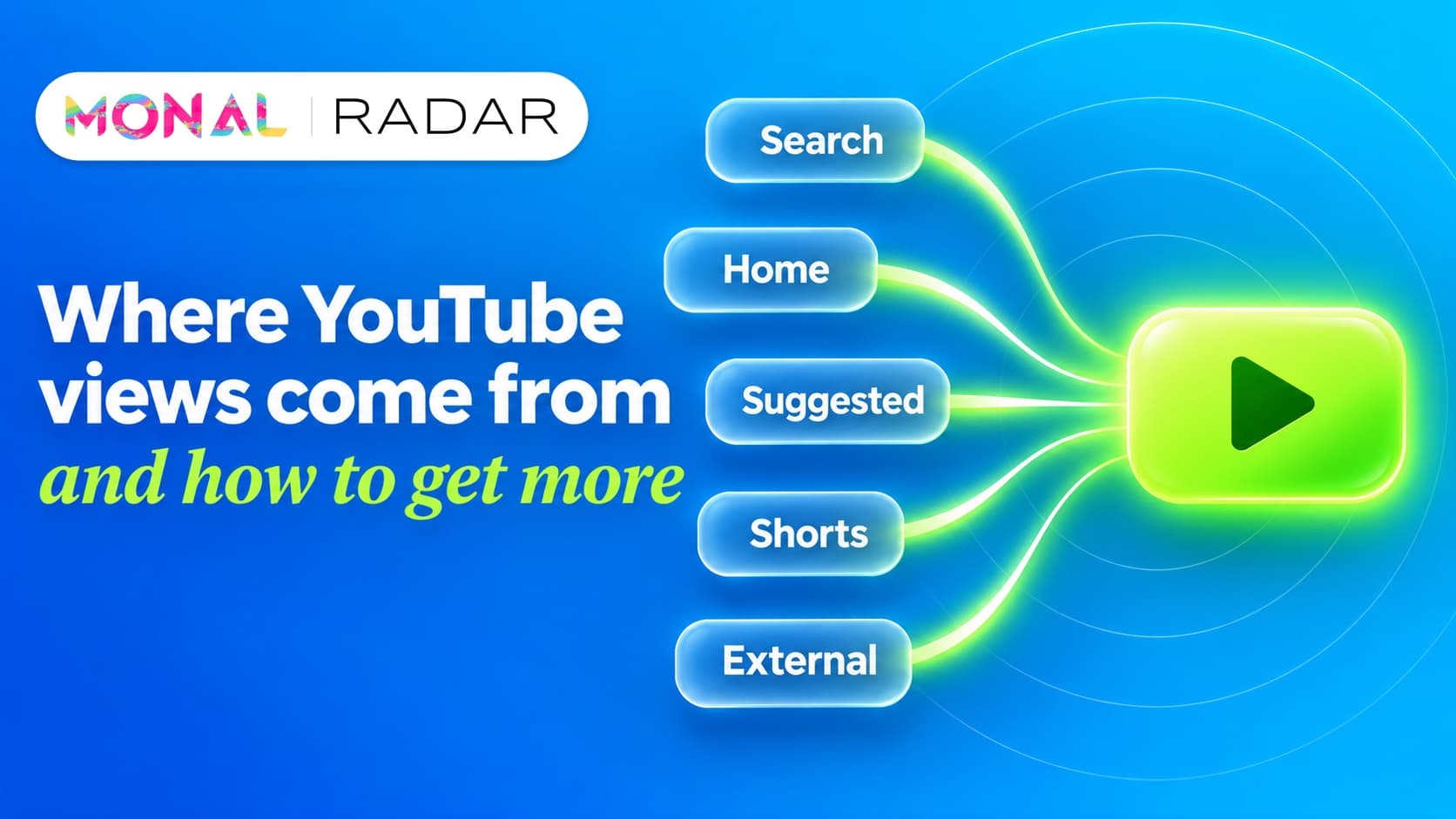
YouTube views come from a handful of traffic sources. You can see your own split in YouTube Analytics under Traffic source:
- Browse features: the home page and subscription feed.
- Suggested videos: the list beside and after other videos.
- YouTube search: people typing a question or topic.
- Shorts feed: the swipe-through Shorts player.
- External: links shared on other sites and apps.
Each source works the same way at heart. YouTube shows your video as an impression, a viewer decides whether to click, and how long they watch tells YouTube whether to show it to more people.
Why am I not getting views on YouTube?
Working out how to get views on YouTube starts with finding where your videos stall. You're usually stuck at one of three points. Open YouTube Analytics for a recent video and check which one:
| What you see | What it means | What to fix |
|---|---|---|
| Few impressions | YouTube isn't showing the video much | The topic or search phrasing |
| Impressions, but low click-through rate | People see it but don't click | The title and thumbnail |
| Clicks, but viewers leave early | The video doesn't deliver what was promised | The opening and pacing |
Compare each video with your own channel's usual numbers, not with a giant channel's. A video is doing well if it beats your normal.
How to get more views on YouTube: 9 fixes
Each fix targets one step: topic, click or watch time. If you're working out how to increase views on YouTube from scratch, go through them in order.
1. Make videos people already want
The biggest lever for more views is the topic. Before you film, check that people are searching for it or that similar videos are doing well for channels your size. A brilliant video on a topic nobody wants will struggle, whatever you do next.
2. Use the words viewers search for
If you want search views, phrase your title the way viewers type. "How to fix a slow laptop" will be found. "My laptop saga, part 3" won't.
3. Earn the click with title and thumbnail
The title makes a clear promise; the thumbnail shows the emotion or result. Together they should answer "why should I watch this now?" in a glance. This is usually the fastest way to increase YouTube views, because it affects every impression.
4. Hook viewers in the first seconds
Confirm straight away that the video delivers what the title promised. Cut long intros, logo animations and "before we begin" detours. Show the payoff early, then deliver it.
5. Keep the pacing tight
Watch your audience retention graph. Steep drops show exactly where viewers lost interest. Trim slow sections, add visuals where you're only talking, and move the best moment earlier.
6. Lead viewers to the next video
End screens, playlists and a spoken "watch this next" keep people on your channel. A viewer who watches two of your videos is worth more to YouTube's recommendations than two viewers who watch one each.
7. Make videos that sit next to popular ones
Suggested videos are a big source of views. Making a follow-up, a response or a deeper take on a topic that's already popular in your niche gives YouTube a reason to suggest your video beside it.
8. Refresh older videos
A video with weak views isn't finished. A clearer title or a stronger thumbnail can give it a second life, especially if the topic still has search demand. Change one thing at a time so you know what worked.
9. Share where your audience already gathers
Post your video in communities where it genuinely helps: forums, groups, newsletters or social posts. One relevant share beats a dozen spammy ones.
These nine fixes are the same whether you're asking how to boost YouTube views on a new channel or an established one.
How do you get views on YouTube Shorts?
Shorts views come almost entirely from the Shorts feed, where viewers swipe in a split second. So the rules change:
- The first second is the hook. There's no thumbnail to help you in the feed.
- Loop-friendly endings help, because rewatches keep a Short in circulation.
- One idea per Short. If it needs explaining, it's probably a long-form video.
- Judge Shorts against your other Shorts, never against long-form videos.
How to get more views on YouTube Shorts comes down to stopping the swipe and keeping viewers to the end.
Can you get views on YouTube without subscribers?
Yes. Search, suggested videos, the home page and the Shorts feed all show videos to people who have never heard of you. Subscribers help a new video get its first viewers, but most views on most videos come from people who aren't subscribed.
That's good news for small channels. If you get the topic and packaging right, a channel with no subscribers can still get views.
Is there a way to get views on YouTube fast?
Not one that lasts. Bought views, view-exchange groups and bots break YouTube's fake engagement policy and can get videos removed. They also send YouTube misleading signals about who your audience is.
The fixes in this guide are how to get views on YouTube for free, and they compound: every video that matches demand and earns the click makes the next one easier to recommend.
How Monal Radar helps you get more views
Monal Radar shows you what's already getting views in your niche, so how to get views on YouTube becomes a decision based on evidence, not guesswork. It checks the channels you watch every six hours and reads the wider market once a day.
- Breakouts: scores every video against its own channel's normal for the same format. A breakout is 3× or more of that normal, with at least 25,000 views, so you can see which topics are pulling viewers right now (fix 1).
- Title check: tests your title against search demand and what performs in your market, before you publish (fixes 2 and 3).
- Retitles: detects when a competitor changes a title or thumbnail, and whether views rose afterwards (fix 8).
- Launch tracker: reviews the first seven days of a new video, so you can see where it's stuck.
- Shorts and long-form are scored separately, so each format is judged fairly.
Every insight shows its work, naming the channels, videos and time windows behind it. Linking your channel is optional and read-only, and Radar never changes anything on it.
Monal Radar comes from Monal Digital, a team publishing on YouTube for 10+ years. Every feature exists because our own channel needed it first.